
If you sell online through eBay, Shopify, Poshmark, Pirate Ship, or similar platforms, you don't need an expensive label printer to print shipping labels. There are many inexpensive thermal label printers on Amazon for 4x6 shipping labels.
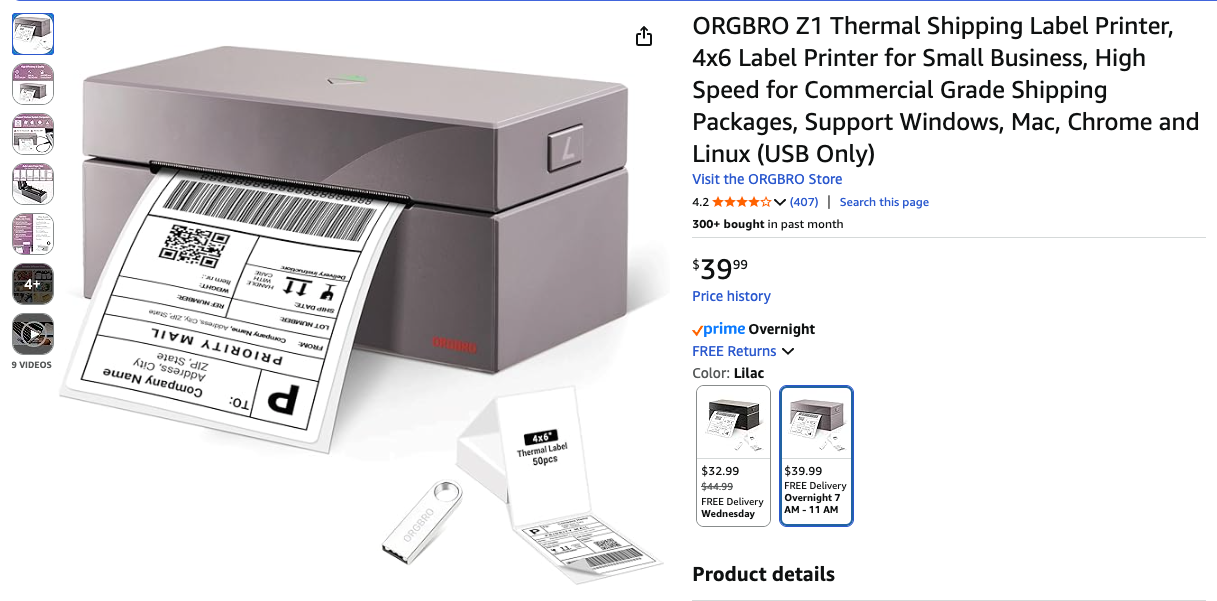
Most of these printers are USB-only, meaning they're designed to connect to a single computer. That sounds limiting at first, but with the right setup, you can easily turn one into a wireless printer that works across your entire network and seamlessly on all your devices.
The basic idea is to connect the thermal printer to a computer that is always on. This could be a small desktop, a mini PC, or even a home server that runs 24/7. Once the printer is connected and the driver is installed, you can use PaperCut Mobility Print to share that printer on your network.
The team at Papercut is fantastic. They make enterprise printing software and offer Mobility Print, which they provide free to make home printing easier.
PaperCut Mobility Print acts as a lightweight print server. It publishes the USB-connected printer so other devices on your network can see it as a native network printer. After installation, you can print labels from any computer in your house or office without physically connecting to the printer.
One of the most significant advantages is mobile printing. PaperCut supports AirPrint, which allows you to print labels directly from an iPhone or iPad. If you are buying labels on your phone or tablet, you can send them straight to the thermal printer without transferring files or emailing PDFs.
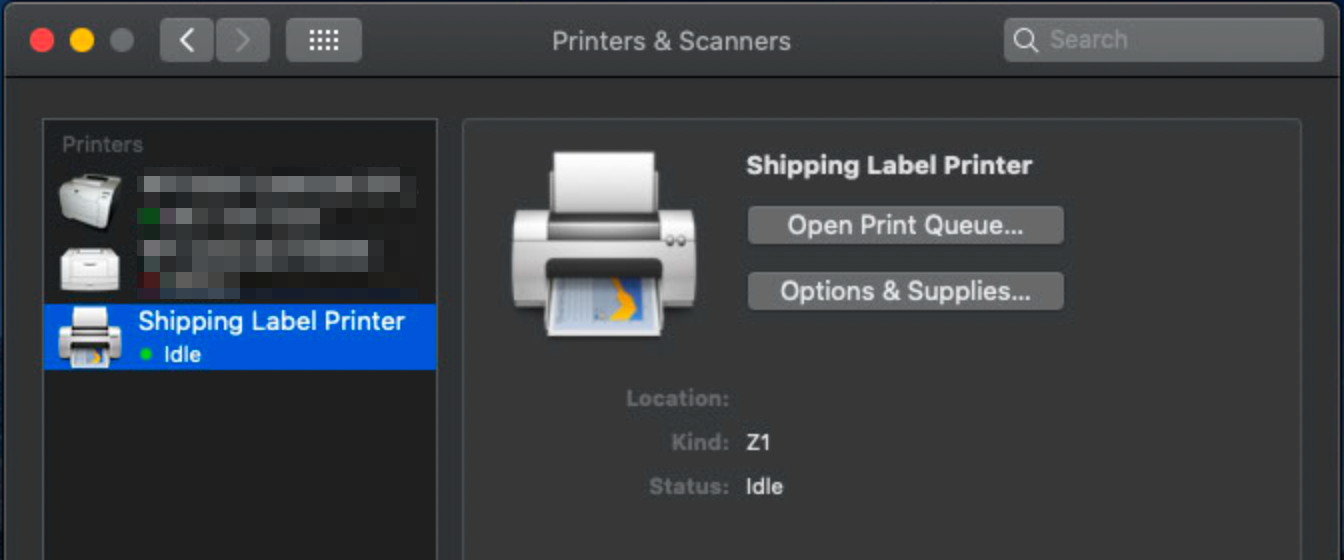
To get started, setup the Thermal Label Printer per the instructions and install the drivers as needed. In this screenshot, you'll see it set up in MacOS, but this works for Windows as well.
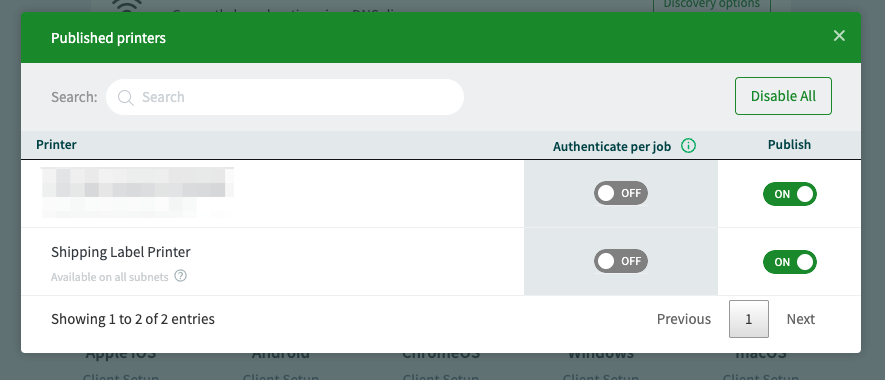
Then install Papercut Mobility Print and configure it to your preferences. It should automatically detect the printers on the same local computer. Publish the printers, and you're all set! Your printers will now also appear as AirPrint printers on your macOS, iPadOS, and iOS devices! You can also use ANY printer connected locally, whether it has networking capabilities or not- even higher-end Zebra printers.
Test it by printing a test shipping label like this one from PirateShip and selecting the printer in the AirPrint sheet. Also, set the paper size to 4x6 inches for the labels.
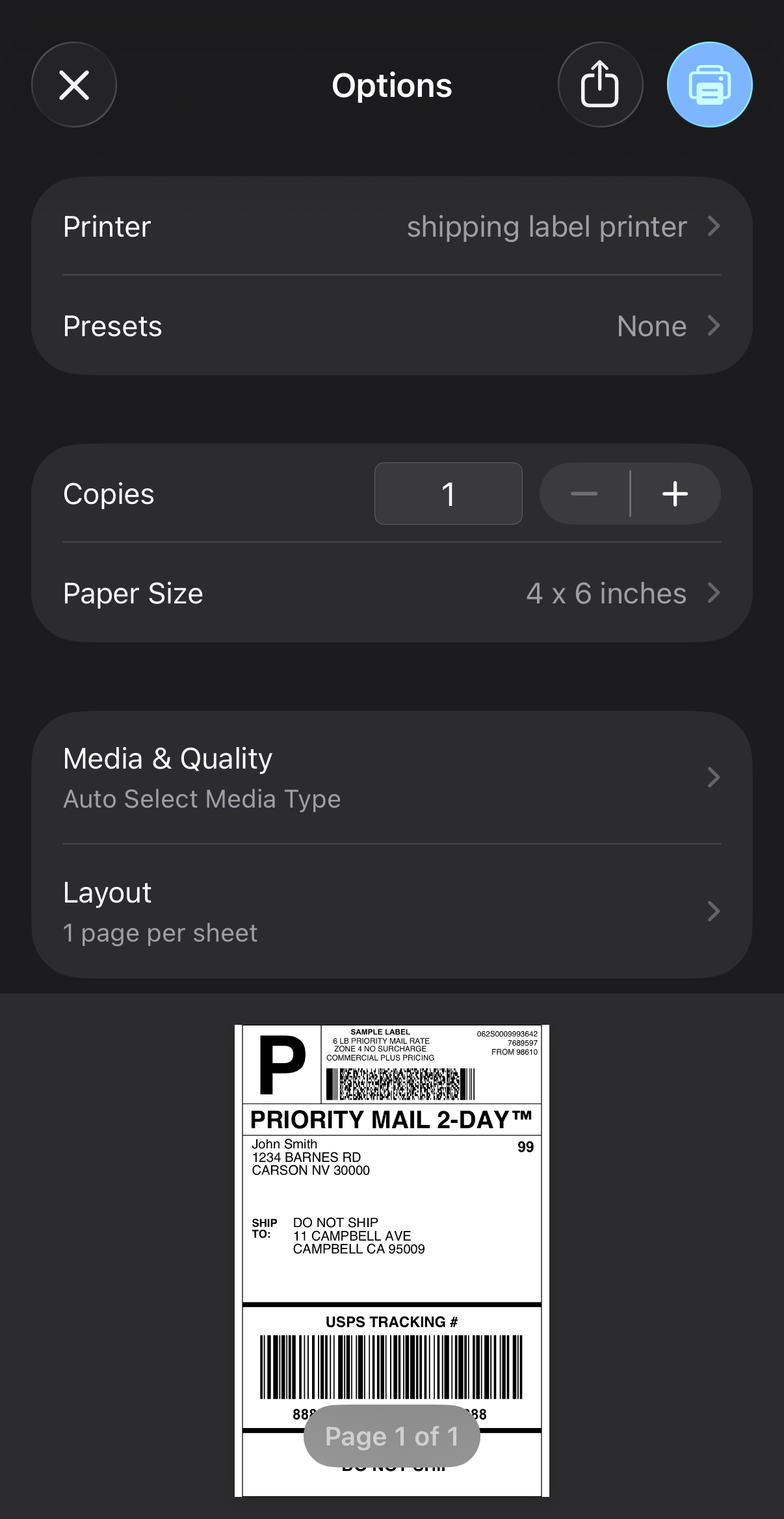
This setup works well for small e-commerce operations because it keeps costs low while adding flexibility. You get fast, ink-free label printing, network access from multiple devices, and phone-based printing, all without buying specialized hardware. Whenever I make a sale on eBay, I can print the shipping label directly from my phone without ever heading to my computer.
For anyone running online sales from home, this is a simple and effective way to streamline shipping without spending much money.